0203 151 0881|24 Hour Emergency Service
Gas Safe Registered

Ideal Boiler Error Codes

Complete guide to Logic, Logic+, Vogue, Mexico, Mini series fault codes with troubleshooting advice

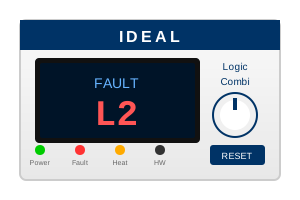
Ideal boiler display panel showing fault code

Understanding Your Ideal Error Code

Ideal boilers display fault codes on the screen when they detect a problem. These codes help identify what's wrong so it can be fixed quickly.

Tip: Ideal fault codes use letters and numbers (e.g., F1, L1, L2, C2). Note down the exact code shown on your boiler display.

Jump to Error Code:

Pressure & Circulation Faults

CodeMeaningQuick FixDIY?
F1Low water pressure - system below safe operating levelTop up pressure using filling loop to 1.0-1.5 bar, reset boilerYes
FDSystem circulation fault - inadequate water flowCheck pressure, bleed radiators, ensure pump is workingPartial
FEWater pressure too highBleed a radiator to release excess pressurePartial
F0Water pressure sensor faultReset boilerNo
FAPressure drop detectedCheck for leaks, top up pressurePartial

Ignition & Flame Faults

CodeMeaningQuick FixDIY?
L1Gas valve proving faultReset boiler, check gas supply is onNo
L2Ignition failure - boiler failed to lightCheck gas supply is on, thaw frozen condensate pipe in winter, reset boilerPartial
L5False flame detection - flame sensed when shouldn't beDo NOT reset repeatedly - call Gas Safe engineer immediatelyNo
L9Flame lost during operationCheck gas supply, check for frozen condensate pipe, resetPartial
L3Flame lift off - flame unstableReset boilerNo
L4Flame lost at end of sequenceReset boilerNo
LAGas valve operation faultReset boilerNo
LEFlame sensor faultReset boilerNo

Temperature & Overheat Faults

CodeMeaningQuick FixDIY?
F4Overheat - limit stat triggeredLet boiler cool, check radiators are on, bleed air from systemPartial
F5Overheat - temperature limiter trippedLet boiler cool, check circulationPartial
F7Flow thermistor faultReset boilerNo
F8Return thermistor faultReset boilerNo
F9DHW thermistor faultReset boilerNo
F2Temperature rise too fastCheck circulation, bleed radiatorsPartial
F3Temperature difference too greatCheck circulation, pump operationPartial

Fan & Flue Faults

CodeMeaningQuick FixDIY?
L6Fan speed fault - not reaching required RPMReset boiler, check flue terminal is clear of debrisNo
L7Air pressure switch openReset boiler, check flue is not blockedNo
L8Air pressure switch closedReset boilerNo
LFFlue temperature sensor faultReset boilerNo

Electronic & Communication Faults

CodeMeaningQuick FixDIY?
LCPCB communication faultReset boilerNo
LDDisplay PCB faultReset boilerNo
LBRF communication fault (wireless controls)Check thermostat batteries, reset boilerPartial
FCPump operation faultCheck pump is working, resetNo
FBDiverter valve faultReset boilerNo

How to Reset an Ideal Boiler

Most Ideal boilers can be reset by pressing the reset button:

Logic / Logic+

  1. Locate reset button (flame/reset symbol)
  2. Press and hold for 3-5 seconds
  3. Wait for display to show normal operation

Vogue / Mini

  1. Press the reset button on the front panel
  2. Hold until error code clears
  3. Wait for boiler to restart

Important: If the fault returns after resetting, do NOT keep resetting repeatedly. This can damage the boiler. Call a Gas Safe engineer.

Need Help With Your Ideal Boiler?

Our Gas Safe engineers service all Ideal models across Harrow and London.

WhatsApp